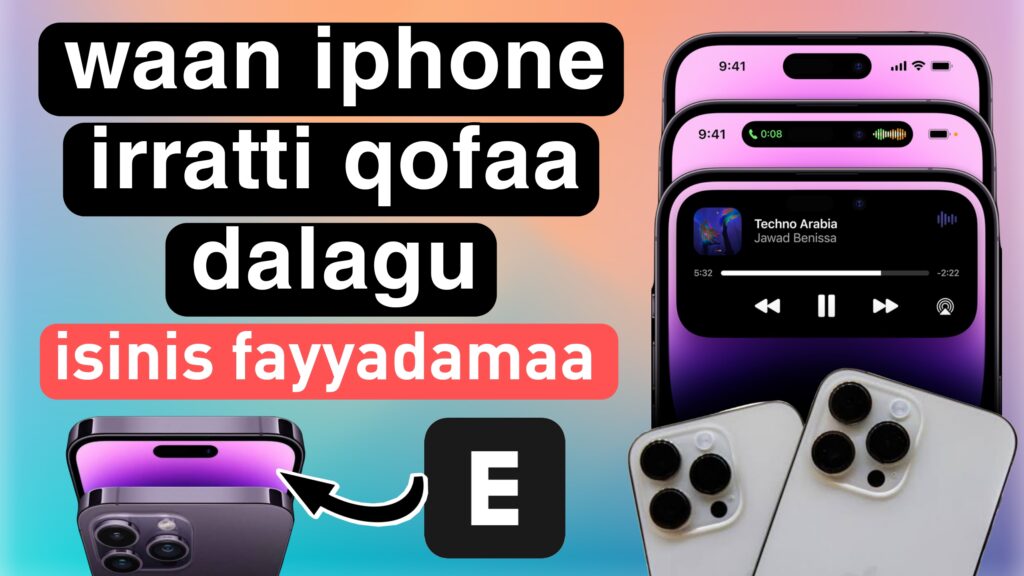
Akkam jirtu jaalatamtoota keenyaa Hundi keessan fayyaa akka qabdan abdii qabna. Apple iPhone 14 moodeela haaraa kana Adoolessa 7, 2022 eebbiseera.Iphone 14 moodeelota afur kanneen akka – iPhone 14, iPhone 14 Plus, iPhone 14 Pro, iPhone 14 Pro Max. iPhone 14 model haaraa kana keessatti waan guddaa Dynamic Island Effect jedhamu jalqabeera. Faankishiniin odola daayinamikii kanaa yeroo bilbilli dhufu kamiyyuu, ergaan, fuula banamuu, muuziqaa taphachuu fi wantoota biroo karaa bu’aa daayinamikii kanaa hojjetamu yoo ta’u kunis baay’ee bareedaa fakkaata.
Yoo barbaaddan bilbila harkaa Android keessan irratti dynamic island effect iPhone 14 fayyadamuu dandeessu. Akkuma iPhone 14’s Dynam Island effect, bilbila harkaa Android keessan irrattis gochuu dandeessu. Yeroo bilbila harkaa keessan irratti dynamic island kana set gootan yeroo notification dhufu dynamic island effect iphone 14 fakkaata.
Akkamitti iPhone 14 Pro Dynamic Island Bilbila Android irratti fayyadamuun danda’ama ?
Applen iPhone 14 Pro fi iPhone 14 Pro Max hunda haaraa ta’an kanneen daayinamikii island effect haaraa qaban jalqabeera. Dynamic Island static cut osoo hin taane guddinaa fi bocaan jijjiiruun interfeesii fayyadamaa keessatti makamuu fi mul’ata haaraa fuulduraa fi giddu galeessaa iskiriinii iPhone irratti kennuu danda’a.
Appii EdgeMask kana Google Play Store irraa buufadhaatii install godhaa. Appicha banadhaatii hayyama barbaachisu hunda hayyamaa iPhone’s dynamic island features Android irratti fayyadamuuf.
Tarkaanfii 2.
Amma, kutaa Effect jalatti “Message” kan jedhu cuqaasaa. Akkasumas “Samsung Message Style” kan jedhu dandeessisi. Itti aansuudhaan, mallattoo Settings kan naannoo button Samsung Message jirutti tuqna.
- Halluuwwan Baafaman Fayyadamaa Dandeessisi
- Sarara Lama Agarsiisuu Dandeessisi
- Overlays Lock Screen irratti dandeessisi
- Duration gara 5 fi Size gara 3tti saagi
Tarkaanfii 3ffaa
Fuula guddaa application sanaa dhaquun “Effects” kan jedhu cuqaasaa. Kutaa kana keessatti, bu’aa balaqqeessaa akka iPhone 14 Pro agarsiisuuf “Puch hole lightning” dandeessisuun barbaachisaadha. Jijjiirama dabalataa kamiifuu, akkasumas qindaa’inoota naannoo filannoowwan ibsaa punched tweak gochuu dandeessa.
Tarkaanfii 4.
Beeksisa dachaa Ugguruu dandeessisi
• Sirnicha mataa ol-ka’uu ugguruu
• Sagalee dachaasuu ittisuu
Tarkaanfii 5.
Sajoo odola daayinamikii hunduu dandeessifameera. iPhone Dynamic Notch Island yeroo namni tokko ergaa barreeffamaa ykn beeksisa appii kamiyyuu isiniif ergu ni dandeessisa.
Hello all dear friends how are you? Hope you all are very well and healthy. Apple iPhone 14 launch launched the new model on September 7, 2022. iPhone 14 has launched four models namely – iPhone 14, iPhone 14 Plus, iPhone 14 Pro, iPhone 14 Pro Max. iPhone 14 has launched a great feature in this new model which is Dynamic Island Effect. The function of this dynamic island is when any incoming call, message, face unlock, music play and other things are done through this dynamic effect which looks very nice.
If you want, you can use the dynamic island effect of iPhone 14 on your Android mobile phone. Just like iPhone 14’s Dynam Island effect, you can do it on your Android mobile phone. When you set this dynamic island on your mobile phone, when a notification comes, it will look like the dynamic island effect of iphone 14.
How to enable iPhone 14 Pro Dynamic Island on Android Phone ?
Apple just launched the all-new iPhone 14 Pro and iPhone 14 Pro Max with a new dynamic island effect. Dynamic Island is not a static cut but can change in size and shape to blend into the user interface and provide new visuals front and center on the iPhone screen.
Download and install the EdgeMask app from Google Play Store. Open the app and allow all the necessary permissions to use the iPhone’s dynamic island features on Android.
Step 2
Now, click on the “Message” button under the Effect section. And enable the “Samsung Message Style” button. Next, tap on the Settings icon near the Samsung Message button.
- Enable Using Extracted Colors
- Enable Showing Two Lines
- Enable Overlays on Lock Screen
- Set Duration to 5 and Size to 3
Step 3
Go to the main page of the application and click on the “Effects” button. In this section, you need to enable “Puch hole lightning” to show lightning glare effects like iPhone 14 Pro. For any additional changes, you can also tweak the settings near the punched lighting options.
Step 4
Enable the Block double notification
• Blocking the system heads-up
• Sound duplicate prevent
Step 5
All dynamic island settings are enabled. iPhone Dynamic Notch Island will be enabled when someone sends you a text message or any app notification you receive.